
What to Do If Your Website Gets Hacked: A Rescue Plan for Course Creators
Published Date:
27 Jun, 2026
Updated Date:
10 Jun, 2026
Imagine this: You wake up to an email saying your course or membership website has been compromised. A hacker has breached your system, your student data is exposed, and your brand’s reputation is on the line.
What do you do next? Do you panic? Freeze? Or worse, give in to the fear of losing everything?
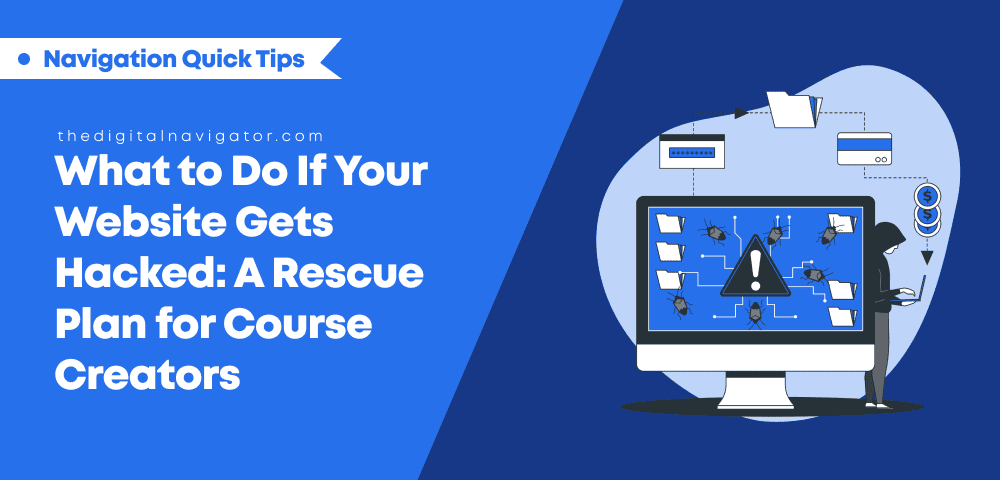
4-Step Rescue Plan: What to Do If Your Website Gets Hacked
Here’s the brutal truth: It’s not if, it’s when. In today’s digital world, even the most well-protected course websites are prime targets for hackers.
They also know you’re an easy mark: small business owners who care more about content than security, and who have likely skipped over key security measures.
But let me stop you right there. This doesn’t have to be the end of your online course or membership business. In fact, it could be the wake-up call you needed to finally check-in on your website’s security.
I’m Pol Cousineau, founder of The Digital Navigator, and I’ve seen this all too often. I’ve seen the panic, the scramble, and the aftermath of a hack. But I’ve also seen businesses rise from the ashes—because they took control and acted fast.
If you're already reading this, it’s because you suspect something's wrong or just want clarity on what to do if your website gets hacked.
Here are the four critical steps you need to take to check your website security. I’m not going to sugarcoat it either: these are the website security testing tips that can mean the difference between a disaster and a quick recovery!
Step 1: Contain the Damage—Fast
Let’s cut through the chaos. The first rule of handling a hacked course website is: Don’t panic. Yeah, I know, it’s easier said than done. But freaking out while asking yourself, “Am I hacked?” will only make things worse.
The key here is to contain the damage as quickly as possible. This is a race against time. The longer the hacker has access to your site, the more damage they can do. They could steal your customer data, deface your site, or infect it with malware that spreads across the web.
In our experience at The Digital Navigator, we’ve helped businesses that were hit by attacks and guided them through this first critical step. A lot of business owners, when things get tricky, trust us to step in. We’ve helped them contain the damage, restore their site, and most importantly, protect their brand reputation.
Step 2: Assess the Extent of the Damage
Okay, now you’re in damage control mode, but it’s time to get real about what’s happened. The next step is to assess the damage. What did the hacker actually do? What do you need to fix, and what can be saved? This isn’t just about finding the breach. It’s about understanding the full scope of the attack.
This can be overwhelming, but don’t worry. Here’s what to look for:
This step might feel like finding a needle in a haystack, but don’t worry, you don’t have to do it alone.
At The Digital Navigator, we offer security audits that help businesses like yours trace exactly how a website is hacked, how the hackers got in, and what they did while they were there. We walk you through the process with expertise and precision.
Step 3: Restore Your Site from Backup, and then Rebuild Stronger
If you’re following best practices (and if you’ve been listening to us!), you should have backups in place. Backups are your safety net. And when a hack happens, they are your golden ticket back to normal.
Let’s be honest, the thought of rebuilding your entire site from scratch is enough to make anyone panic. But that’s why backups are a game-changer, they let you restore your site to its previous, unscathed state.
We had a client who was hit with a ransomware attack, but because we had set up daily backups as part of their plan to prevent ransomware attacks, they didn’t lose a penny. Instead of paying the ransom, we restored their site within hours. It was a huge relief to the client…and a powerful reminder of how important backups really are!
Step 4: Reinforce Your Website and Fortify It for the Future
Here’s the thing: while you recover from your hack, you can also be setting up your site for long-term security. After the storm clears, the last thing you want is for it to happen again. Now’s the perfect time to take proactive steps that will keep your site safe from future attacks.
At The Digital Navigator, we don’t just react to problems, we proactively prevent them. Our clients trust us for a reason. We understand how a website is hacked and can handle everything from website security testing to ongoing website protection. If you're looking for a solution to bulletproof your site, we’re here for you.
How a Website is Hacked and How to Recover Before it Happens Again
A hack might feel like the end of the world, but with these four steps—contain the damage, assess the breach, restore from backup, and fortify your site—you can get back on track in no time.
And remember, if you get caught wondering what to do if your website gets hacked, we’re always here to help you through it. Whether you're in the midst of a hack or want to prevent one from happening in the first place, we’re ready to support you with expert security solutions that let you focus on what matters most—growing your business.
Don’t wait for disaster to strike. Get in touch today, and let’s make sure your website is bulletproof, tomorrow and beyond.
Stay secure, keep creating, and don’t let a hack stop you from doing what you do best!
FAQ
How can I maintain a unified brand if my offers keep changing?
Your offers can evolve without disrupting your brand as long as the underlying throughline stays intact. When your teaching style, visual cues, and core message remain recognizable, new programs or memberships feel like natural extensions rather than abrupt shifts. Your brand becomes the container that holds multiple experiences over time.
What’s the best way to keep my private content aligned with my public presence?
Your public channels set expectations for what people experience once they join your course or community. When language, visuals, and tone feel familiar across both spaces, members feel grounded rather than disoriented. That continuity makes onboarding smoother and strengthens trust early in the relationship.
How do I balance personal expression with a recognizable brand identity?
A clear brand doesn’t limit self-expression—it supports it. By defining a few non-negotiables, such as how you speak to your audience or the emotional tone of your visuals, you create space to explore new ideas without losing coherence. This balance helps your audience feel both connection and reliability.








0 Comments