
How You Can Protect Your Course Website from Hackers
Published Date:
30 Mar, 2026
Updated Date:
10 Jun, 2026
The thought of your website being hacked might feel like a distant concern, something that happens to other businesses, not yours.
Unfortunately, the reality is that course websites are prime targets for cybercriminals. In fact, independent businesses are increasingly under attack, and many don’t survive the blow.
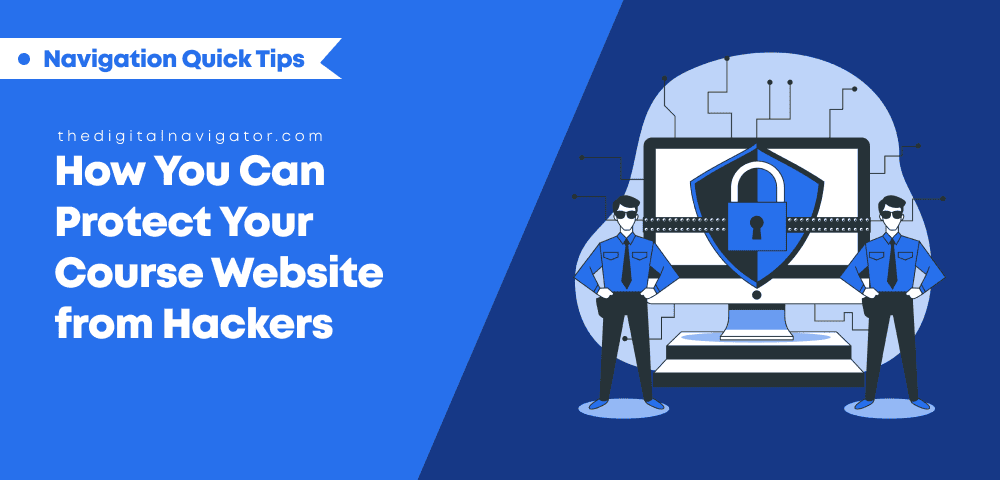
5 Easy Steps to Protect Your Small Business Website from Hackers
I’m Pol Cousineau, founder of The Digital Navigator, and after working with numerous course creators and membership site owners, I’ve seen firsthand how devastating it can be when a site (or a website’s membership software) is compromised.
But here's the silver lining: the steps you need to protect your business are simple and manageable.
With the right actions, you can learn how to create a secure website, all without diving into complex technical details!
These five tips are tried-and-true strategies that we use here at The Digital Navigator, and now, we’re sharing them with you so you know how to check if a website is safe from hackers! Let’s break them down:
1. Use Strong, Unique Passwords for Every Account
When we first started The Digital Navigator, I had a small team, and everyone had their own set of passwords.
I thought I had a solid system in place until I learned the hard way that password reuse is a hacker’s best friend. And trust me, no business is too small to be targeted.
To properly protect your business from hackers, your passwords should be as strong as possible. Think of them as your digital fortress: each one is a lock keeping the wrong people out. The more complex and unique each password is, the harder it will be for hackers to break through!
If you’re feeling overwhelmed, start small. At the very least, change your email password and make it unique.
Your email is the gateway to almost everything, and it's the first place a hacker will target if they’re after your information.
2. Enable Multifactor Authentication (MFA) for Extra Website Protection from Hackers
When I talk to course creators about cybersecurity, I often get the question: “Why do I need more than just a password?” The truth is, passwords alone are vulnerable. In today’s world, hackers can easily get their hands on your login details through data breaches or phishing attacks.
That’s why I’m such a big advocate for Multifactor Authentication (MFA). MFA acts like a second lock on your door. Even if someone somehow gets access to your password, they still can’t get in without the second key—usually a code sent to your phone or app. It’s like having a backup guard standing at your digital gate.
If you’re serious about securing your business, MFA should be your second step after updating your passwords. And remember, this is something you can do today (even without an expert’s help!).
3. Keep Your Software and Plugins Updated Regularly
This is a big one. I’ve worked with clients who were blindsided by a hack because they had neglected to update their WordPress plugins. I remember one situation in particular where a business owner came to us after their site was infected by malware, all because they hadn’t updated a critical plugin for months.
The lesson? Outdated software is a hacker’s playground.
It might seem tedious, but keeping your website software and plugins up to date is one of the most effective ways to protect your website from hackers. Software developers regularly release security patches to fix vulnerabilities, so by staying on top of updates, you're essentially locking down the back door of your business.
At The Digital Navigator, we don’t just rely on auto-updates. We also perform a thorough check for any new vulnerabilities, ensuring that our client sites are as secure as possible.
And if you're unsure about your plugins, we offer website protection services that include regular security audits to remove outdated or unsupported plugins.
4. Back Up Your Website Regularly (and Test Your Backups)
I can't stress this enough: when it comes to protecting your website from hackers, backups are your safety net. When your website is hacked, the first thing you’ll want is a backup. A reliable backup ensures that you can restore your site quickly and get back to business without losing valuable data or content.
I’ve seen it firsthand. One of our clients was hit by ransomware, and because we had set up daily backups, they didn’t have to pay a single cent to get their data back. Instead, we restored everything within a few hours, and they were up and running again the same day.
If you’d rather not deal with this yourself, we offer secure backup solutions as part of our website protection services. The long and short of it is, we take care of it so you don’t have to worry about it, ensuring your site is fully protected in case something goes wrong.
5. Install Firewalls and Malware Scanners to Block Attacks
Think of firewalls as your website’s first line of defense and malware scanners as your internal security guard. Firewalls block suspicious traffic before it even reaches your website, while malware scanners detect any harmful files or code that might sneak past.
I’ve worked with many clients who were bombarded with unauthorized login attempts every day. But once we set up a firewall and malware scanner, every one of those attempts was blocked before it could do any harm.
If you’re looking for a set-and-forget solution, we offer managed website security that includes firewall setup, malware scanning, and daily monitoring. It’s one of the most reliable ways to ensure your site is always protected.
Start Protecting Your Course Website From Hackers Today
As a course creator, your website is the heart of your business, and protecting your website from hackers shouldn’t feel like a daunting task. This process doesn’t need to happen overnight, either. It’s more about taking small, consistent steps, and learning how to check if a website is safe and protected..
With these five tips, you’ll create a strong foundation that keeps your business safe and allows you to focus on what you do best: creating life-changing courses for your students. Then, you can go ahead and think about expanding your security for the good of your business growth.
Remember, cybersecurity for your small business isn’t something you do once…it’s an ongoing process. And at The Digital Navigator, we’re always developing new website security best practices to keep our clients (and their students!) protected.
So if you’re ready to take your site security up a notch, we’d be happy to sit down and chat about how we can make that happen. Until then, stay secure, keep creating, and watch your business grow—safely!
Our specialists know all about online business security
Get free advice on how to improve security for your course, membership, or coaching business.









0 Comments